Anokii, my own app for people who bill by the hour
A Mac app with an iPhone companion that I'm designing and building myself. It remembers your work, so your time, meetings and invoices mostly write themselves.
- Company
- Anokii
- Role
- Designer and builder
- When
- Oct 2026 – now
- Problem
- If you bill by the hour, every hour you forget to log is money you don't get paid. Timers only work if you remember them, and the month still ends in an afternoon of invoices.
- My role
- Everything: product, design, brand and code, for Mac and iPhone, working with Claude. 121 merged pull requests since late October.
- Status
- Private and invite only, with a site at anokii.app. I use it every day for my own clients.
- Built with
- Swift and SwiftUI, SwiftData synced through your own iCloud, no third-party code, about 250 tests, and an MCP server so AI agents can work with it.
The problem
I bill by the hour across several clients, and I kept losing time. Not big blocks, the small ones: a quick call, twenty minutes on someone’s file between two other things, the evening I fixed something and never wrote it down. Timers only work if you remember to start them, and tools that log everything feel like being watched by your own computer. Then the 1st of the month comes and the invoices are an afternoon of admin.
I wanted an app that remembers my work so I don’t have to, and turns it into invoices without me sitting down to write them. So I designed and built one. You can see it at anokii.app.
Suggest, don’t assume
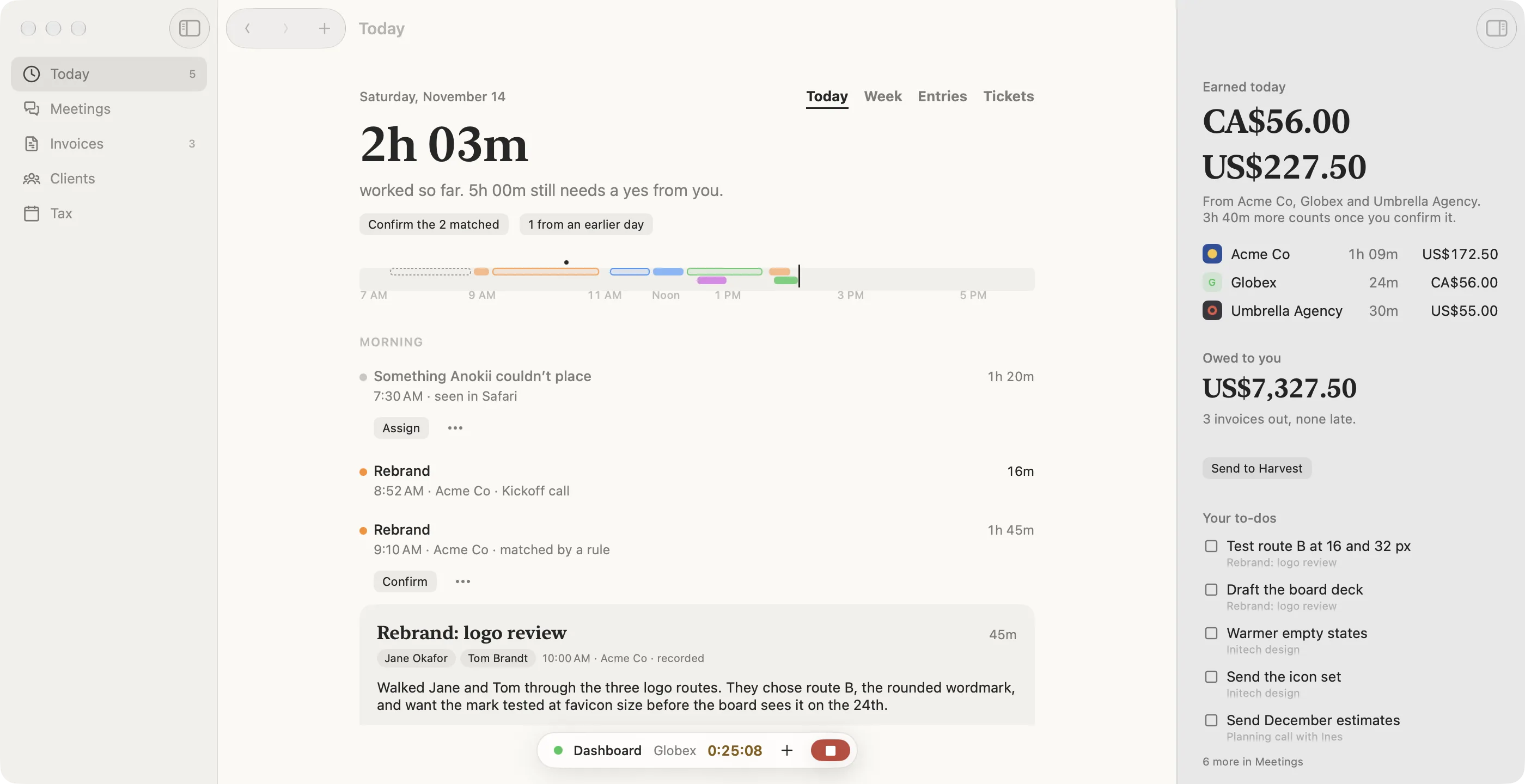
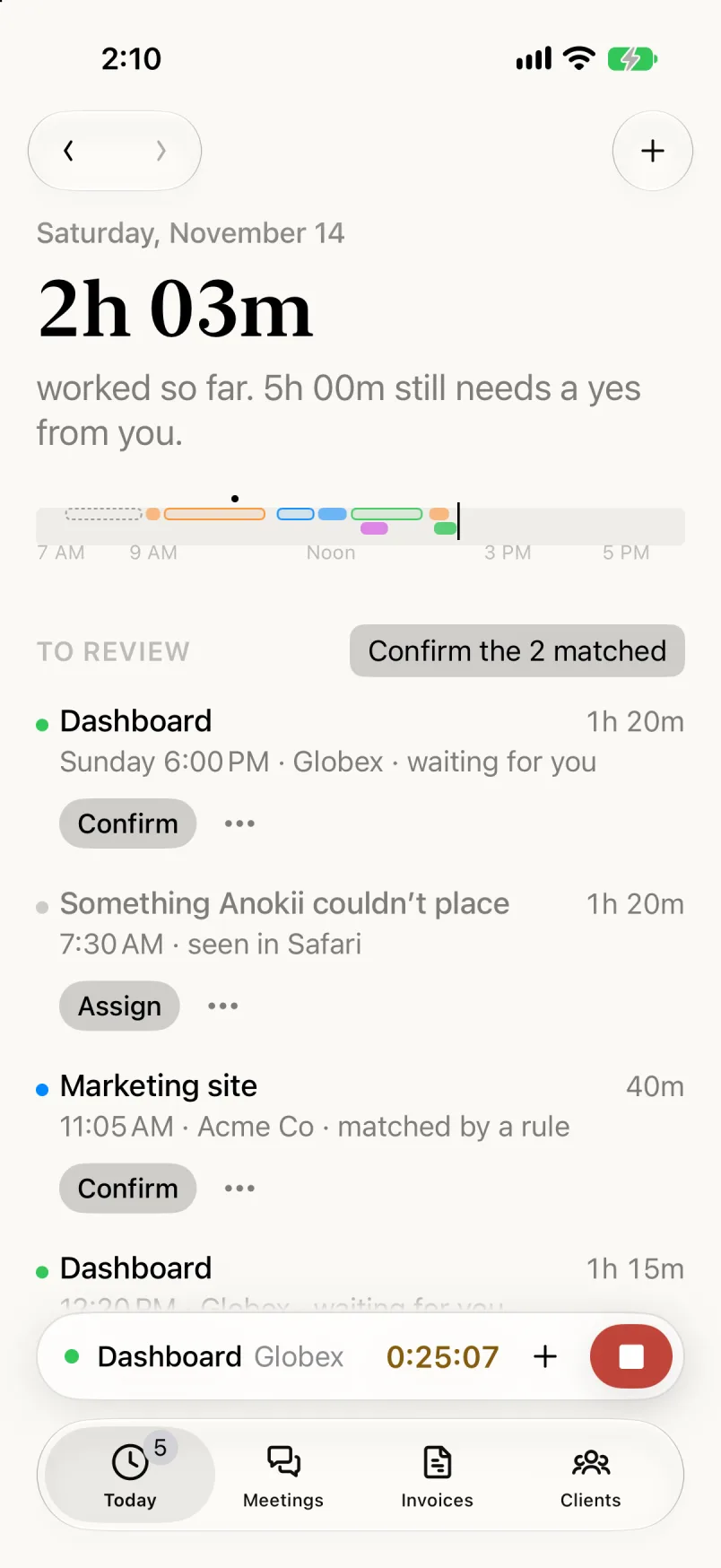
On the Mac, Anokii notices what’s in front of you: the app and window, the project folder and its git branch, the ticket, your calendar. It turns stretches of work into suggestions for the right client. Nothing becomes billable until you confirm it, and a whole morning confirms in one tap.
The trade-off was completeness against trust. An app that logged everything on its own would miss less and be much easier to distrust, especially when the result is a bill someone else pays. So the app proposes and you decide. Time it can’t place shows up plainly as something it couldn’t place, and assigning it teaches the project a keyword, so it gets better at your week.
It notices. You confirm. It never bills a minute you didn't agree to.
A day’s work, written down
The first version worked, but it looked like a settings screen with a clock on it. So I stopped, wrote the app a design language, and rebuilt every screen against it in a week.
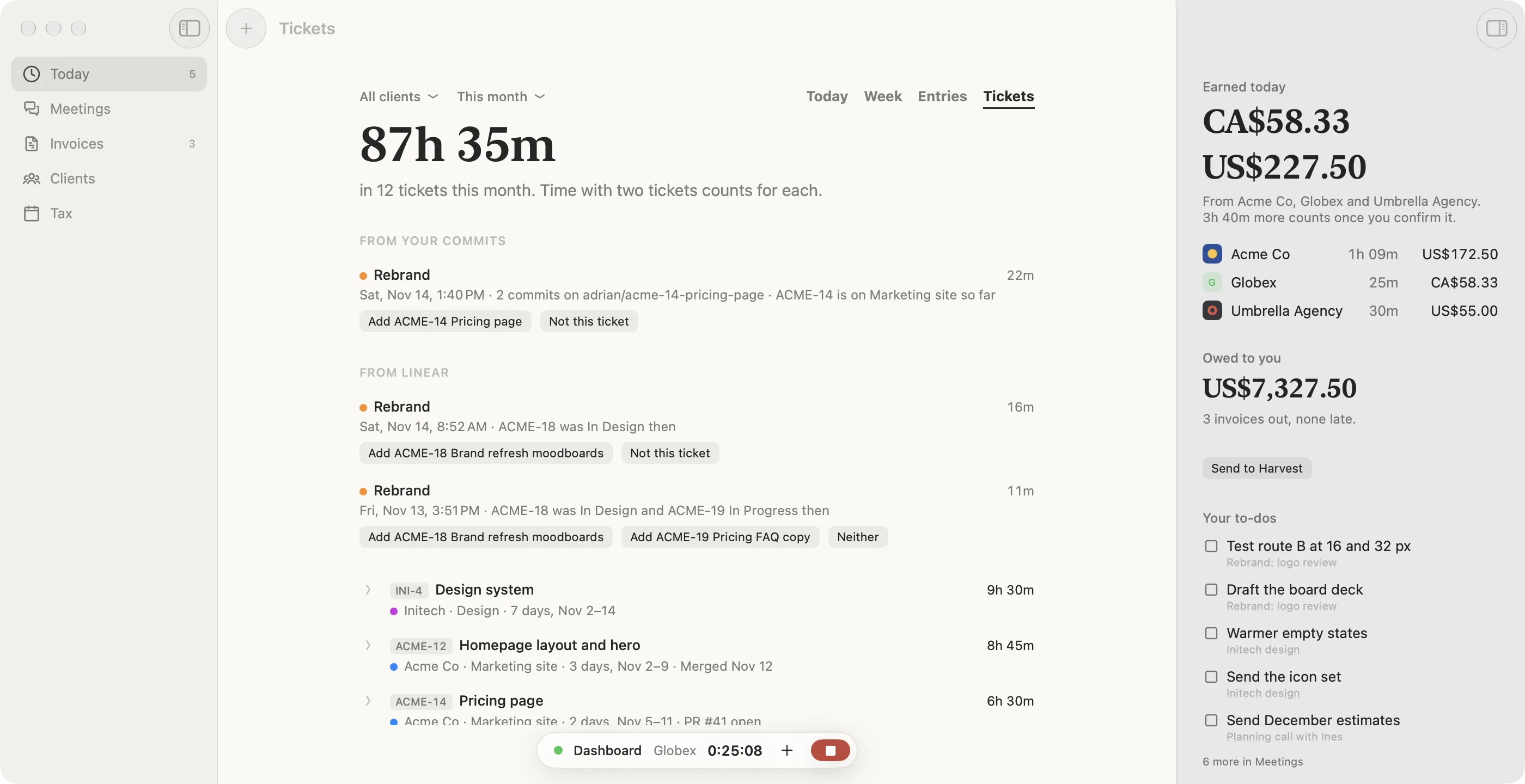
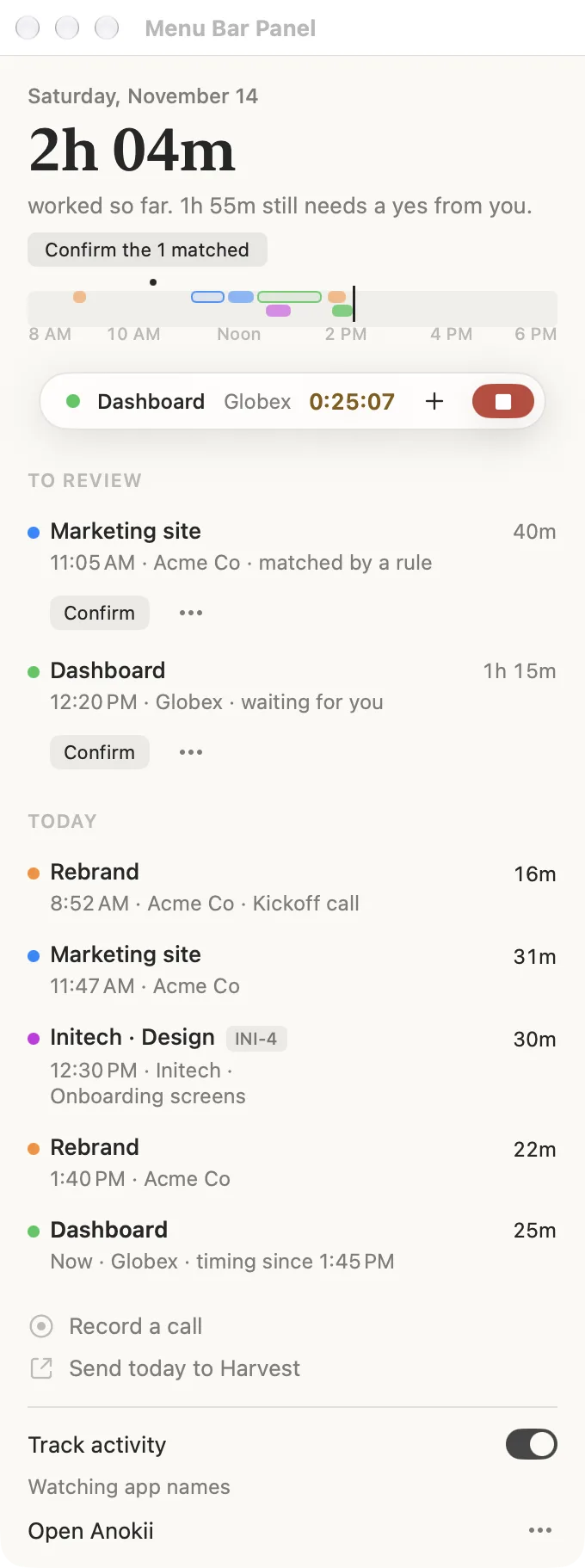
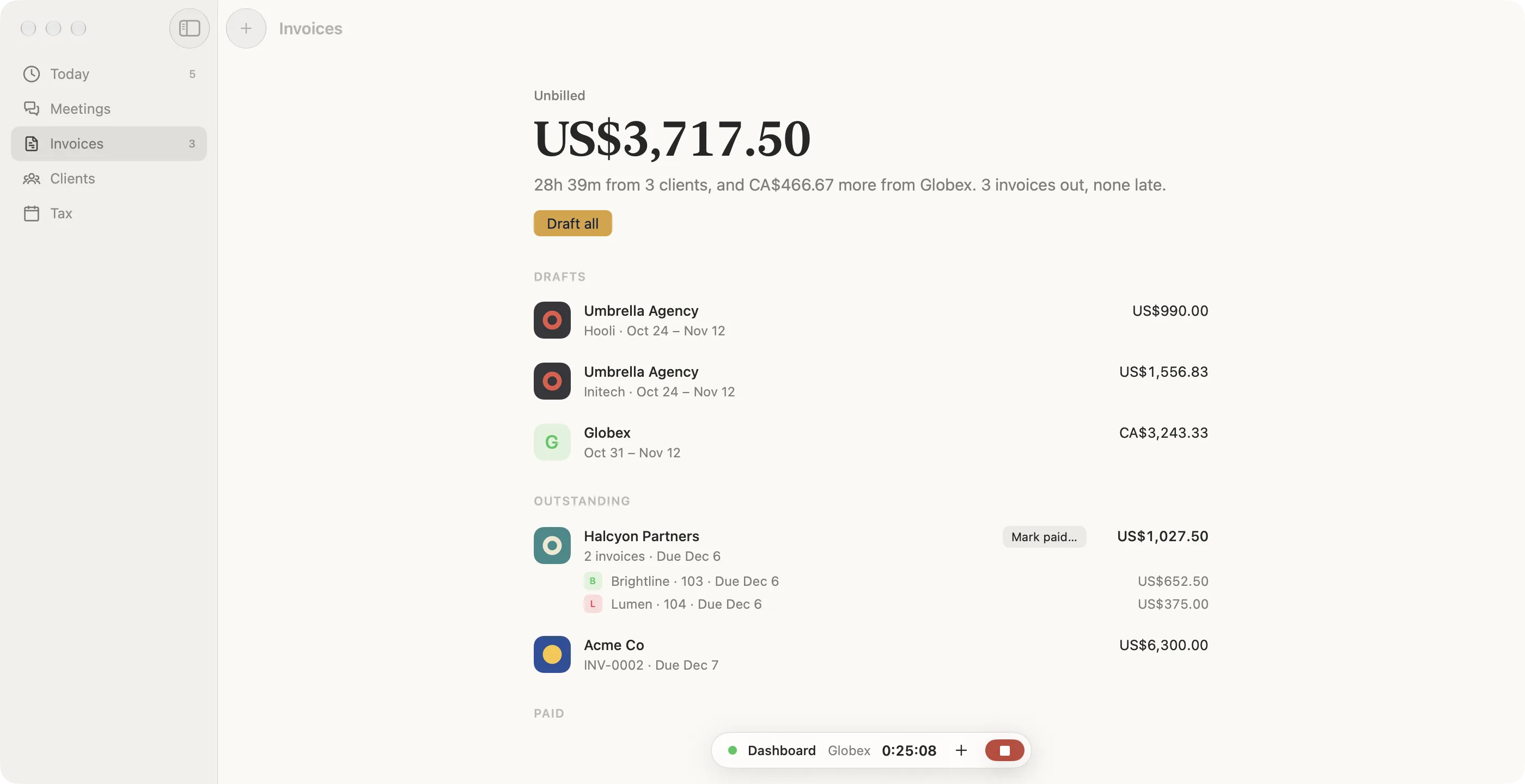
The idea in one line: a day’s work, written down. A warm page, one big serif number that answers “how much”, a plain sentence under it, then the work itself in quiet rows. I took the calm money of Wealthsimple and the document-first feel of Granola as the references. Two typefaces, never a third. One gold thing per screen, the next step, and nothing else gold. Red means stop or late, never anything else. And colour belongs to each client’s work, the dot, the ribbon and the week’s columns, never to the interface around it.
Then I audited every screen against those rules and redid them one area at a time: entries and tickets, meetings, clients, invoices, the menu bar, settings and finally the iPhone. A rule that didn’t hold up on a real screen got changed in the language first, so the screens and the rules never drift apart.
Privacy as a design rule
No account, no servers, no analytics in the app. Your records live on your devices and in your own iCloud. What Anokii watches to suggest time, and the sound of your calls, never leave your Mac. Permissions are asked for in context, when they’d help, never at launch. Call recording never starts on its own and reminds you to tell everyone you’re recording.
Meetings, in the room and after
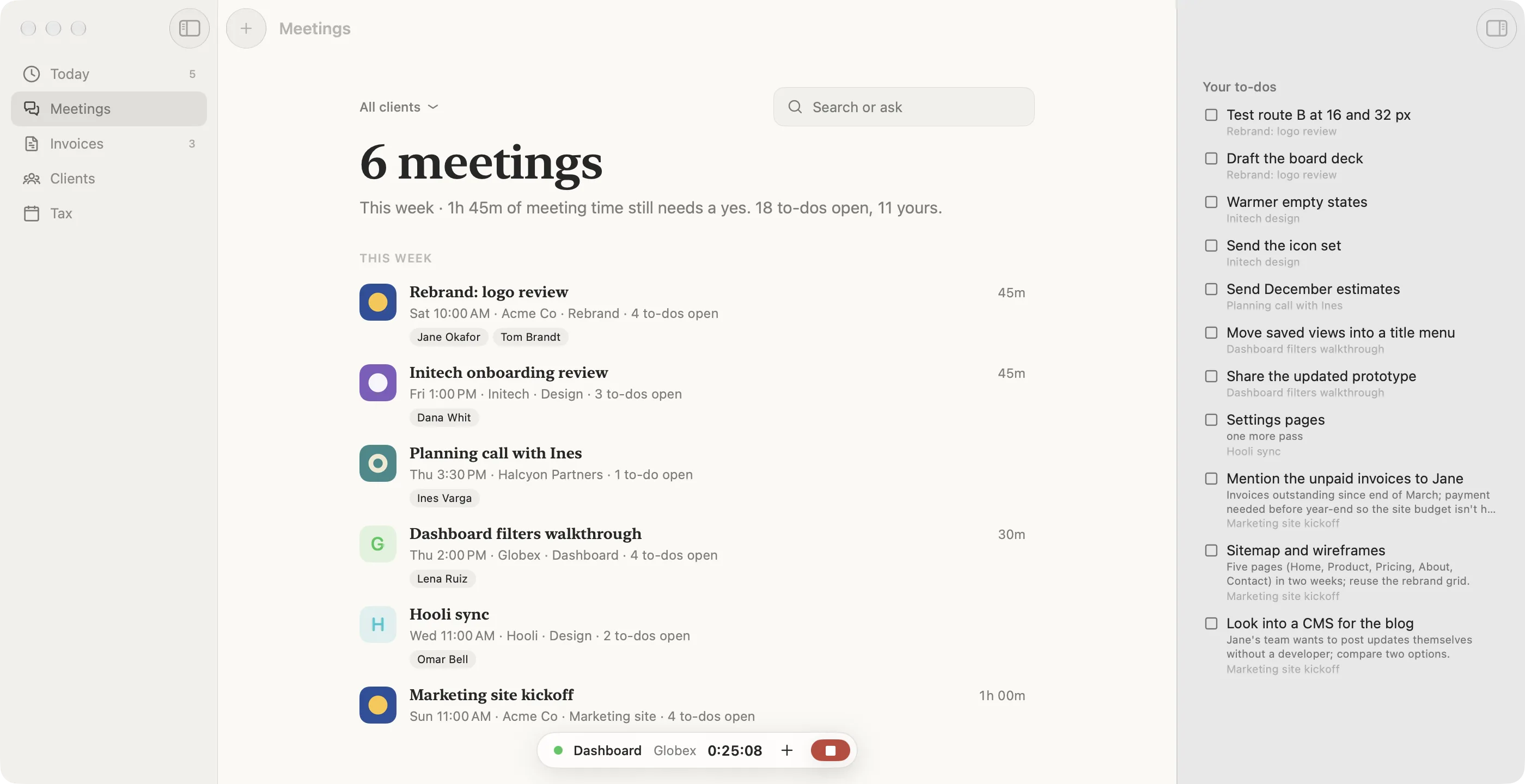
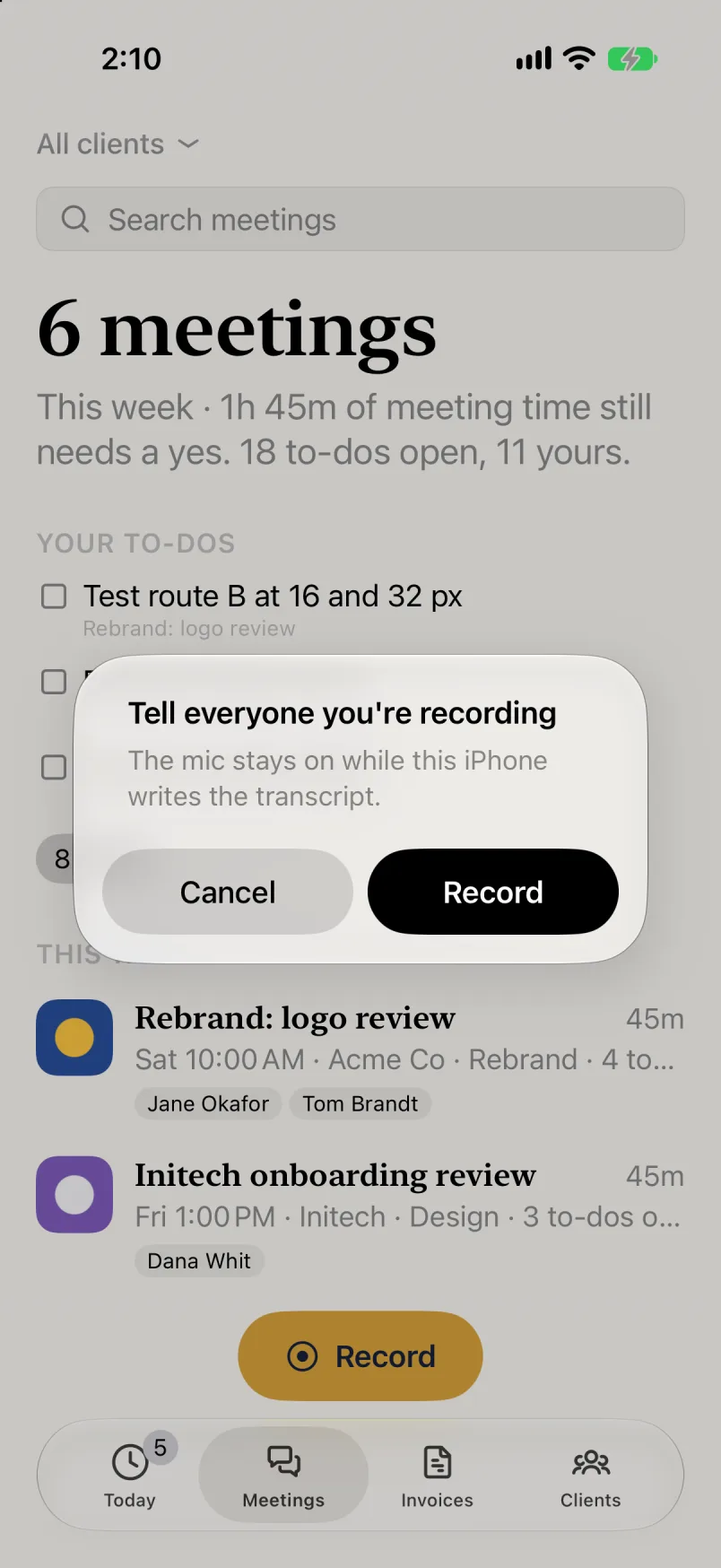
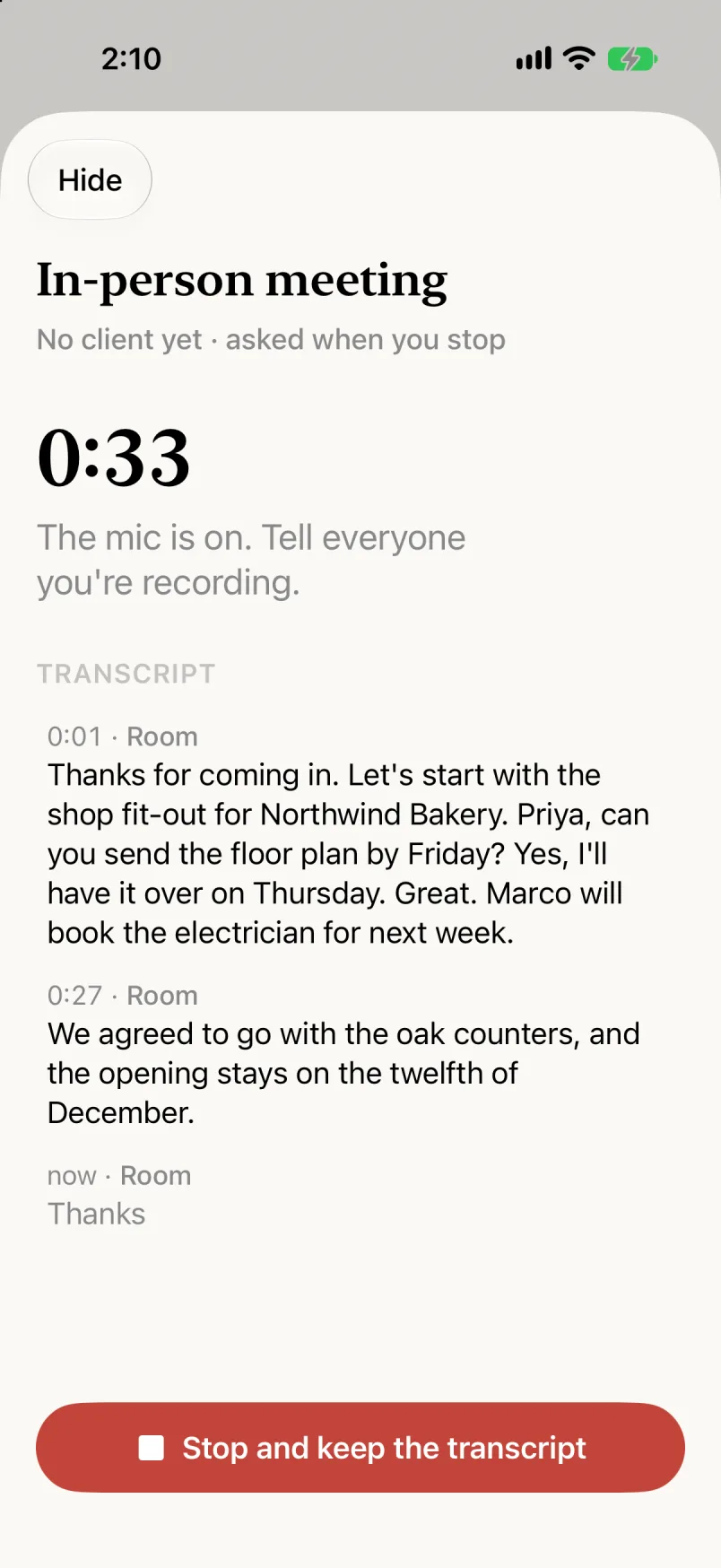
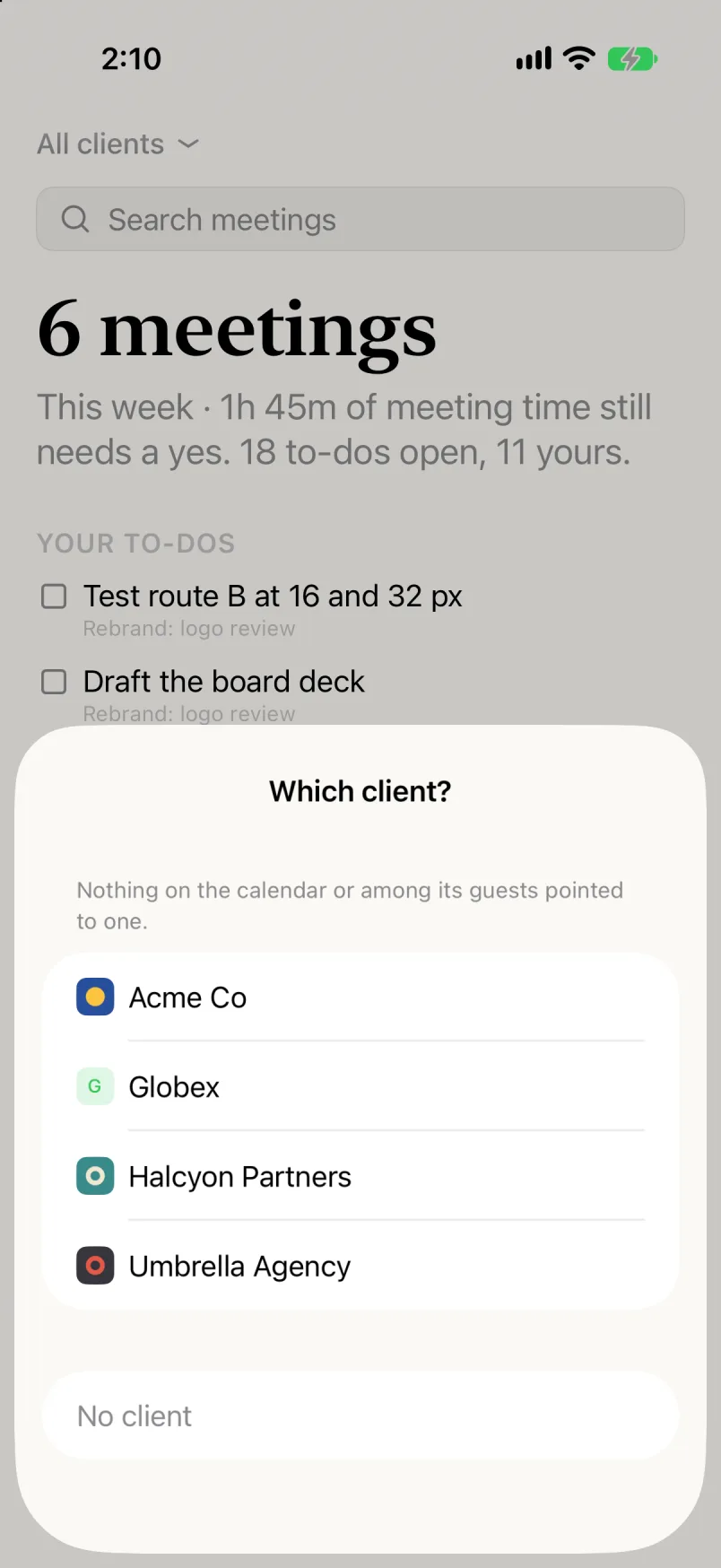
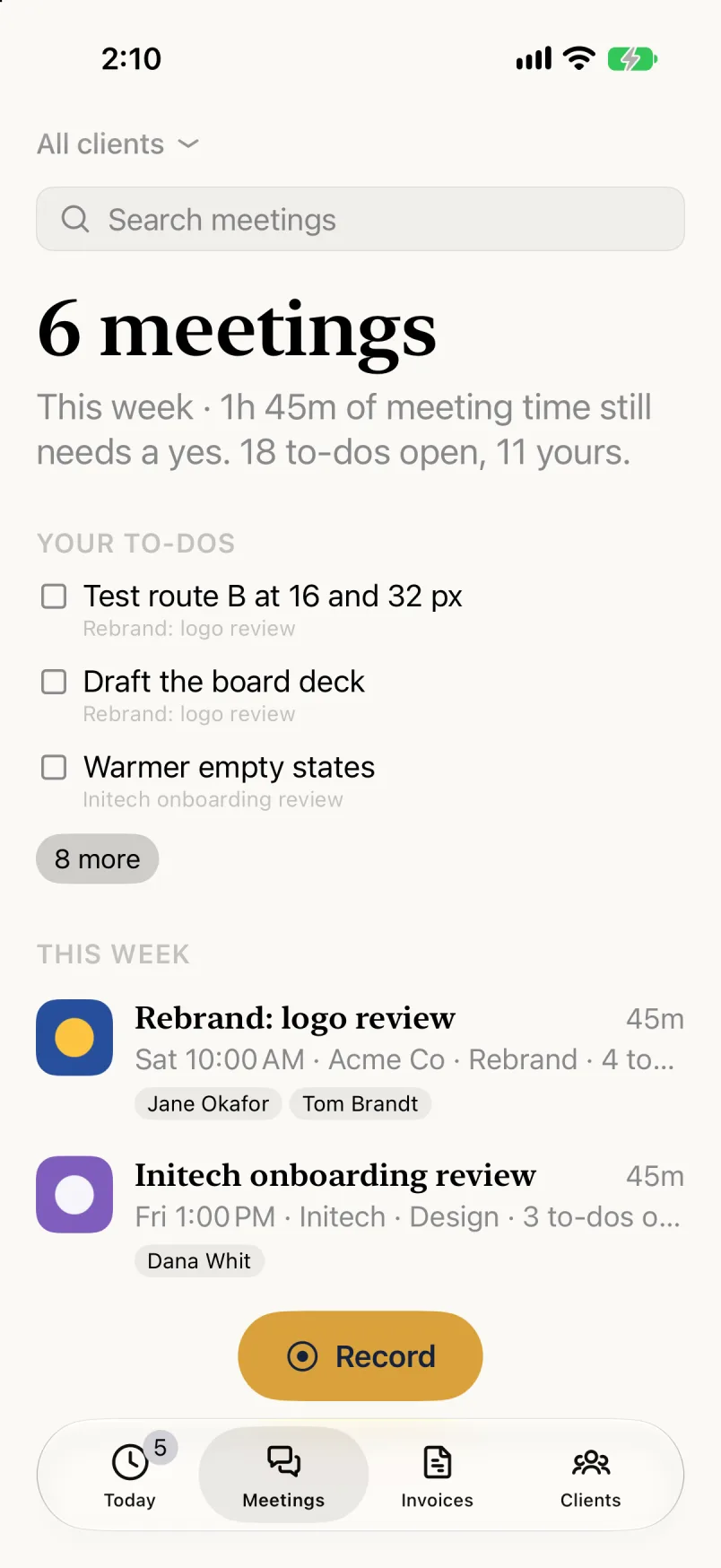
Anokii already recorded calls on the Mac. Meetings in person needed the phone on the table, with the same rule: never silent. The first time you press Record it asks you to tell everyone, and the page says it again under the clock while the mic is on. One mic hears the whole room, so the transcript doesn’t pretend to know who spoke: every line is “Room”. If nothing on the calendar places the meeting, it asks which client it was for once, when you stop.
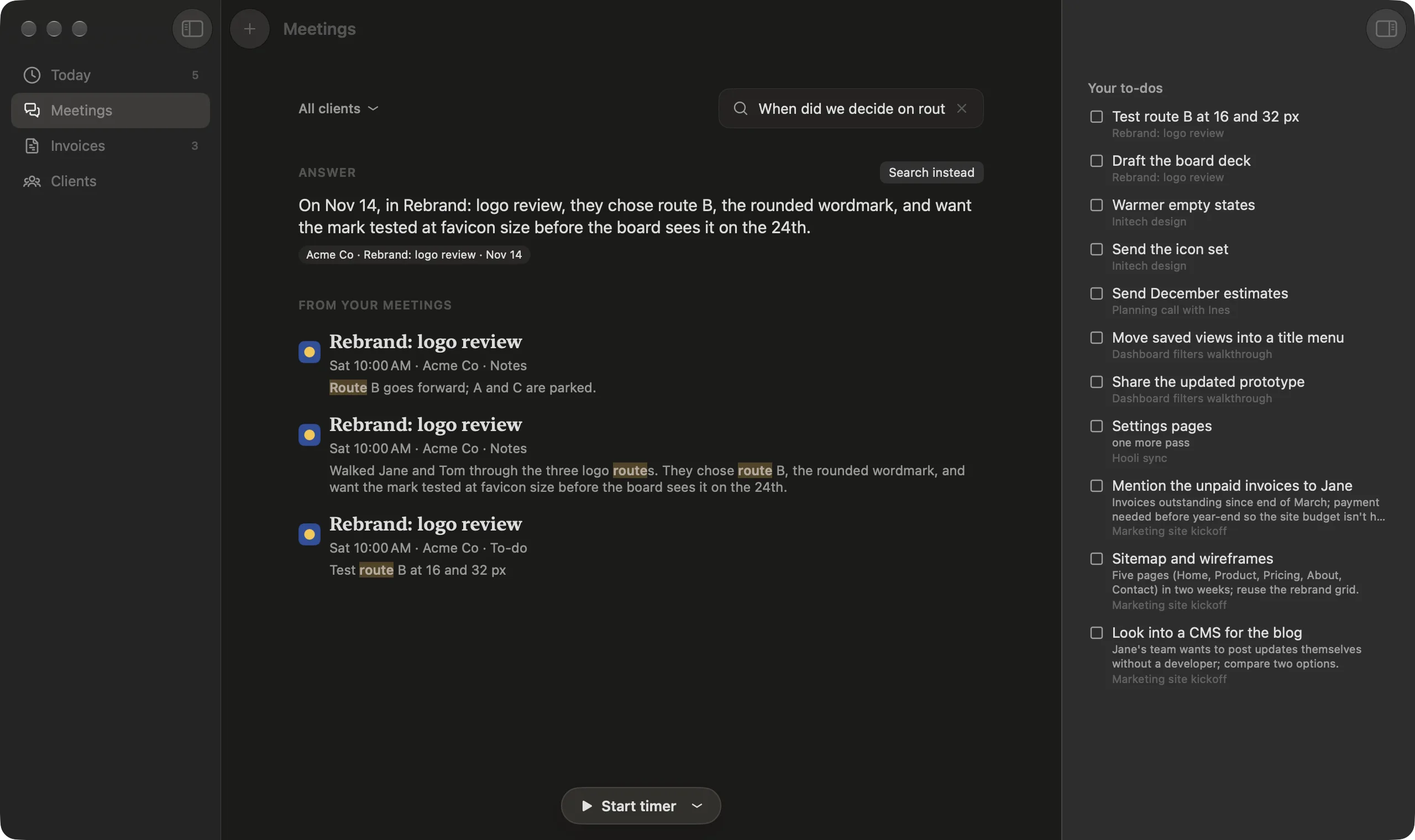
Then you can ask your meetings a question. “When did we decide on route B?” is answered from the meetings themselves, on your Mac, with Apple’s on-device model. Anokii finds the passages first, the model may only write from those, and Anokii checks every sentence it writes: one that cites nothing, or holds a number the passages don’t, is dropped. When nothing is left, the answer is “Your meetings don’t say,” with the closest passages under it. It never guesses.
One record on every device
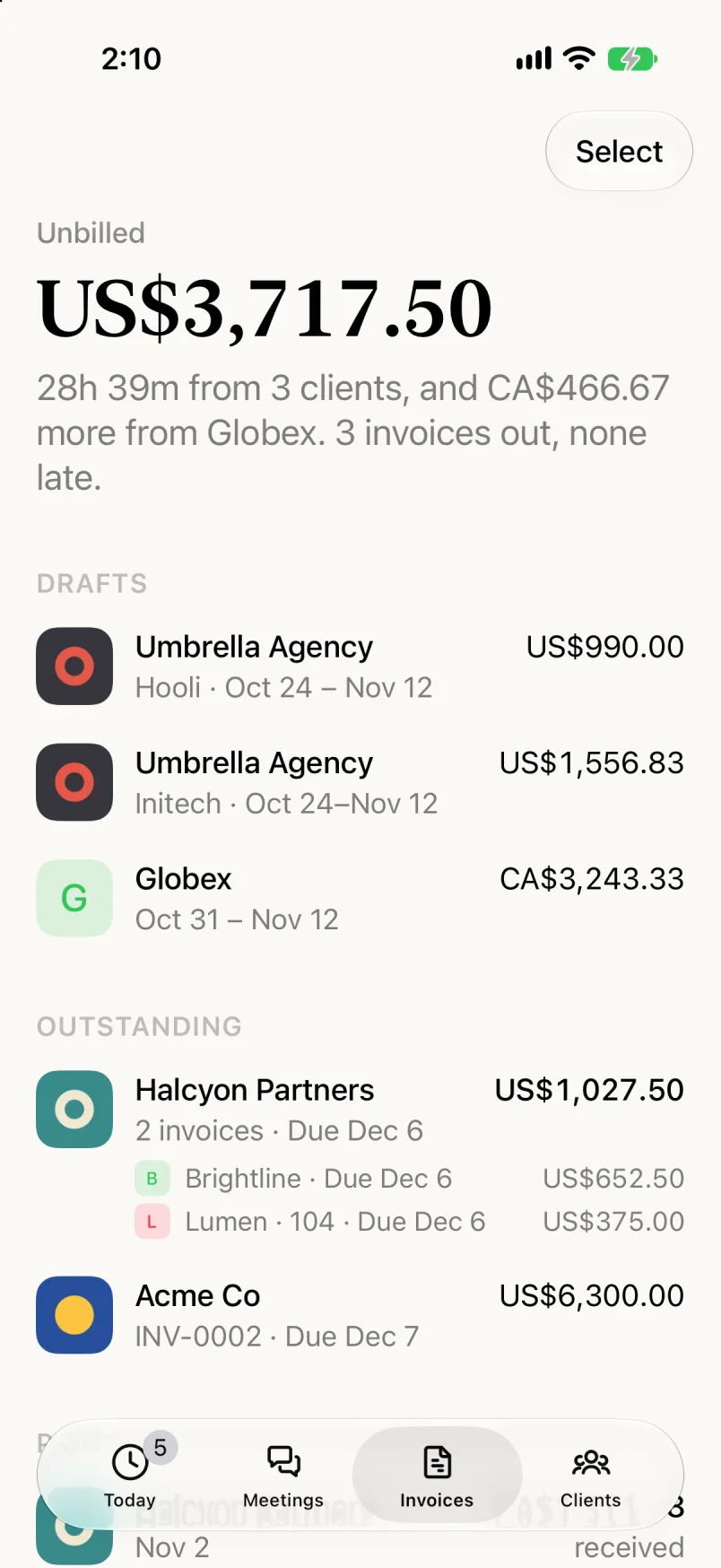
Time, meetings, clients and invoices sit in one record, each tied to the client who pays. On the 1st a draft is waiting for each client, made only from time you confirmed, and it checks itself before you send it: a day over 10 hours, weekend or late-night time, entries with no note. Once sent, its PDF never changes. Mark it paid when the money lands, even when one transfer covers several invoices.
The iPhone carries the same day through your own iCloud, so a timer started on the Mac can be stopped on the phone.
Tax season, prepared
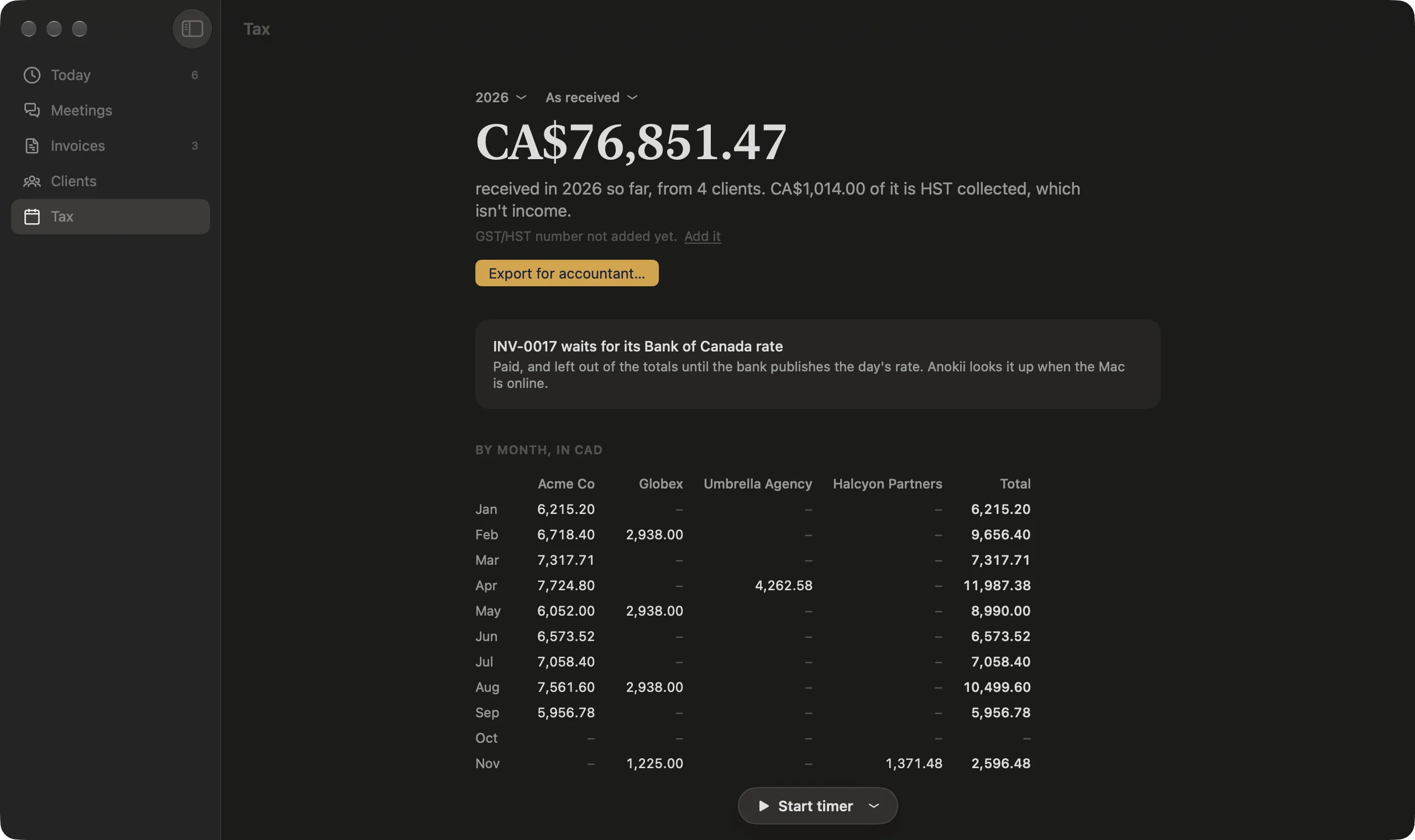
I bill in US dollars and file in Canada, so tax season meant converting a year of payments by hand. Now each paid invoice keeps the Bank of Canada rate for the day the money arrived, and where Anokii knows the Canadian dollars that actually landed, that figure wins. The Tax page shows the year in CAD, month by month and client by client, and one gold button exports it for the accountant: a one-page summary, the spreadsheets and every invoice’s PDF. It prepares. It never files, sends or pays, and never says what you owe.
Your AI does the paperwork
Anokii has an MCP server built in, so Claude or any other assistant can read your clients and time, write the day’s notes and get timesheets ready. Access is off until you turn it on, and you decide how much it can read and change. Nothing is billed, sent or paid without you.
How I build it
I design and build Anokii myself with Claude, one ticket and one pull request at a time, and keep every product decision in a dated log with its reasoning. About 250 tests cover it, including one that backs up a made-up practice with every kind of record, restores it into a fresh store and compares every field. That test found three gaps in my backups before they ever cost me data. My own Mac only updates after the checks and a smoke test pass.
Where it is now
Anokii is private and invite only while I use it for my own work. The site at anokii.app takes requests for an invite. Next are expenses, and getting it into other people’s hands.